Showing posts with label Tiny Core. Show all posts

Mar 4, 2010

Tiny Core Linux 2.9 Review: Linux2u

Tiny Core 2.9
Tiny Core Linux is a very small (10 MB) minimal Linux Desktop. It is based on Linux 2.6 kernel, Tiny X, Busybox, Fltk, and Jwm. The core runs entirely in ram and boots very quickly.

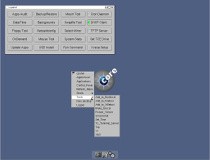
Screenshot:
Visit this Link to see the latest Tiny Core 2.9 Screen Shot.


Review:
Robert Shingledecker has released Tiny Core Linux 2.9, a minimalist Linux distribution in 10 MB: "Tiny Core Linux 2.9 is now posted. Change log: upgraded udev to 151 with several rule adjustments and new rules added; updated libstdc++ 6.0.9 to support exceptions; updated glibc 2.9 to support i486; updated wbar - eliminated background relics; updated appbrowser - added 'Provides' to search for 'What provides', also error handling and speed improvements; updated appsaudit - added 'Display All Not Depends On'; updated tc-config - persistent home and/or opt; improved language support by auto-loading locale support extension(s); added functions checkroot and checknotroot for improved user handling; new 'Set TCE Drive' in control panel to setup TCE directory, optional and mydata.tgz from cloud mode...." Read the full release announcement for a complete list of changes.

Download: tinycore_2.9.iso (10.1MB, MD5).
{ Source: http://distrowatch.com/?newsid=05936 }

Read Review From Softpedia.com:
Visit this Link to read Tiny Core 2.9 review from softpedia.com

Download Tiny Core from Softpedia.com


Read the most popular blog
 
Tiny Core Linux 2.8 : Linux2u

Distribution Release: Vine Linux 5.1 and NetSecL 2.6
SliTaz New Cooking 20100221 released: Linux2u
 Released Amarok 2.2.2 try it : Linux2u
SimplyMEPIS 8.0.15 Review: Linux2u
Installing Multimedia Codecs to Ubuntu 9.10 karmic
Ubuntu 9.10 Karmic Koala better than ever
Ubuntu 9.10 Karmic Koala better than ever 
 
My Dream Light Weight Linux : Linux2u 
Internet Explorer become so risky

Google Buzz your Social inbox
PC-BSD 8.0-RC Released


If you Something to share then write Comments or you have any Suggestion to Improve this site then please send your suggestion to linux@sanjay4u.co.cc.
Thanks for Supporting Open source.
Read More...

Jan 25, 2010

Tiny Core Linux 2.8 : Linux2u

Tiny Core Linux 2.8 : Linux2u


Robert Shingledecker has announced the release of Tiny Core Linux 2.8, the world's
smallest graphical distribution: "Tiny Core Linux 2.8 is now posted. The theme for
this release is to have a single directory for extensions and dependencies. This
greatly improves systems resources by having a single copy of dependencies and it
also greatly improves flexibility in 'moving' applications present upon boot,
dependency auditing, and both batch and selective updating. Change log: updated
FLTK to 1.1.10; updated FLWM with more traditional close button layout; updated
app browser to support new on boot.lst and extension support structure; updated
appsaudit - new menu section OnBoot to support maintenance of onboot.lst; updated
and reorganized cpanel, added 'OnDemand', 'TCE Update', 'USB Install', 'Run Command',
'Xkill', and 'Xvesa Setup'...." Read the rest of the release announcement for a more detailed list of changes.

Change log:
* Updated FLTK to v1.1.10.
* Updated FLWM with more traditional close button layout.
* Updated appbrowser to support new onboot.lst & extension support structure.
* Updated appsaudit - new menu section OnBoot to support maintenance of onboot.lst.
* Updated appsaudit including new "Updates" menu option to "check for updates and selective update.
* Updated appsaudit to allow  selective removal of items from "marked for deletion"
* Updated and reorganized cpanel, added "OnDemand". "TCE Update", "USB Install", "Run Command", "Xkill", and "Xvesa Setup"
* Updated "Select Mirror"/tcemirror for easy selection from repository mirrors.
* Updated "ab" shell appbrowser for more consistent input handling of single character answers.
* Updated tce-setup, tce-load, and tce-audit to support new onboot.lst &extension support structure.
* Updated tce-load to allow miltiple loading, e.g., tce-load -i *.tcz
* Updated tce-load to drop ".tcz" requirement.
* Updated tce-update to prompt before beginning easy mode batch update operation.
* Updated tce-update for selective interaction via CLI options "query", "list", and "update".
* Updated rc.shutdown by reverse umount loops to support tcvd virtual drive.
* Updated udev rules for much quicker boot times with loop mount extensions.
* Updated rebuildfstab for faster response.
* Updated filetool.sh to ignore sockets.
* Updated tc-terminal-server typo.
* Updated tc-config PXE to support new extension structrure - thanks to Gerald Clark
* Updated cd_dvd_symlinks.sh for better multiple cd and dvd devices.
* Updated tce-fetch.sh to cleanup old dual repository support.
* New /opt/tcemirror replaces /opt/.tcrc
* Updated /opt/.filetool.lst for tcemirror
* Dropped symlinker by using builtin cp construct.
* Dropped GNU ftp and dropbearmulti from base.


This is the smallest distro, so it is super fast compared to other distro. Please give a try .

Download
Read More...

Oct 9, 2009

Tiny Core 2.4 review

 Tiny Core Linux is a very small (10 MB) minimal Linux GUI Desktop. It is based on Linux 2.6 kernel, Busybox, Tiny X, and Fltk. The core runs entirely in ram and boots very quickly. Also offered is Micro Core a 6 MB image that is the console based engine of Tiny Core. CLI versions of Tiny Core's program allows the same functionality of Tiny Core's extensions only starting with a console based system.
It is not a complete desktop nor is all hardware completely supported. It represents only the core needed to boot into a very minimal X desktop typically with wired internet access.
The user has complete control over which applications and/or additional hardware to have supported, be it for a desktop, a netbook, an appliance, or server, selectable by the user by installing additional applications from online repositories, or easily compiling most anything you desire using tools provided.


Screenshot


Whats New :
Change log for v2.4

* Updated flwm v1.12, top side titles, aterm compatible, enhanced refresh menu, hotkey,s and color title bars.
* Updated flwm_restart to use new capability of menu refresh.
* Updated appbrowser. Dropped access to tce repository, "Install Local" defaults to optional/
* Updated wbar.sh to read extra configurations from $HOME/.wbar
* Updated flpicsee to v1,0 - replaced Alt with Ctrl hotkyes.
* Updated setbackground to process compressed logo template, saves much space.
* Updated .Xdefaults for aterm transparency mode.
* Updated .xsession to check and start flit and/or watcher.
* Updated .xsession so watcher, now at +0-0, does not overlay flit
* Moved both flit and watcher to extensions.
* Updated tc-config to process dependency files at boot.
* Updated tce-load. Dropped access to tce-repository, fixed out of loops bug.
* Updated /dev/loop to 255 loop devices (0, 254). Note: You still need max_loop=255
* Updated rc.shutdown to remove external call.
* Updated fstype to remove external call.
* Updated tc-config, startx, and .profile to make desktop environment reentrant & better support of microcore.
* New tce-setup to load all tce applications from a tinycore "base norestore text" boot
* Updated tc-config now calls tce-setup, as tce loading has been factored out.
* Updated tc-restore & filetool.sh to implement 'protect' blowfish encrypted backup.
* Updated tc-restore & filetool.sh for default backup to be located in persistent tce directory.
* Updated tce-load to fix bug regarding partial downloads of dependencies
* Updated /opt/.tcrc to tcz repository..
* Dropped 'checkfs' boot option. Use options 'base norestore' to check and fix filesystems and then start up complete system.
* Updated tce-setup, optimized code and calls tce-load via boot flag.
* Updated tc-config with more consistent and streamlined messages at boot. 
* Updated usbinstall to operate better when launched from system menu, added max_loop=255.
* Updated isolinux.cfg to include max_loop=255
* Fixed free loop after copy to filesystem (ram).
* Show extension load errors during boot procedure.
* Fixed doubling of tcz2ran.lst
* Fixed 'base norestore noicons' = no menu update bug.
* New showapps boot code to display extension names while booting.
* Added a wait $fstab_pid before tce access.
* Dropped pci.ids. Use extensions (pic-ids.tcz libpci.tczl).


Files likely in your backup or persistent store that need updating:
.xsession
.Xdefaults
.profile


Notes:

The desktop environment has been moved from tc-config into startx. This allows a microcore boot with base norestore, then manually (tce-load -i) the core elements together with your choice of window manager, wbar, flit, and/or watcher. Upon completion, still at the $ prompt, typing startx will bring up a working desktop environment. You can still exit to prompt, and run startx.

And with the new tce-setup, you can load all your PPR with a single command.
Just boot tinycore 'base norestore text   Then when ready.

$ sudo tce-setup
$ startx

Same with microcore, except, of course,  the text boot option is not needed


Notes: Hotkeys for Color Title Bars for flwm v1.12. ( Thanks to Mike L. for the many improvements to flwm! )

changed Alt+Enter to Alt+F1 to iconize a window

Ctrl Alt arrows moves the window
Ctrl Alt =         grows the window (unshifted + key)
Ctrl Alt -          shrinks the window
Ctrl Alt PgUp   grows the window veritcally
Ctrl Alt PgDn   shrinks the window vertically
Ctrl Alt ,           grows the window hortizontally (unshifted < key)
Ctrl Alt .           grows the window hortizontally (unshifted > key)
Ctrl Alt t           taller (sames as PgUp)
Ctrl Alt s          shorter (same as PgDn)
Ctrl Alt m          maximize widow
Ctrl Alt v          maximize vertical
Ctrl Alt h          maximize hortizontal

flwm now optionally supports environment variable FLWM_TITLEBAR_COLOR to set color for window title bars.
To set use hex rgb, e.g, 20:5F:20 (Currently supports fltk gtk+ scheme.)


Experience:
I think a nice experience because in 11MB it gives a whole desktop experience,credit should goes to Tiny Core developers.It’s a whole new way of running Linux on the desktop.

Multimedia:
After installing MPlayer I didn't find any problem to run my music and movie collection.

Conclusion:

Tiny Core is a new distro. It is developing at a rapid pace and implementing new features along the way. It really can change the way you think about running Linux. This edition is better than 2.3.
Distrowatch.com Ranking: 15

If you want to explore Tiny Core Linux 2.4 then please try it its so small .
Download Tiny Core 2.4
Read More...

Oct 7, 2009

TinyCore_2.4rc5 Released for Testing

The Fifth Release Candidate of v2.4 (tinycore_2.4rc5.iso), is now posted and ready for testing.
http://distro.ibiblio.org/pub/linux/distributions/tinycorelinux/2.x/release_candidates/

Change log for v2.4 Release Candidate 5
* Updated busybox cpio replaces gnu cpio
* Dropped pci.ids. Use extension
* Updated tce-setup exits upon error from tce-load
* Updated tc-config reports error via tce-load, tce-setup, even when using default rotdash.
Read More...

Oct 2, 2009

Tiny Core Linux 2.3 : Linux 2u

Tiny Core Linux is a very small (10 MB) minimal Linux GUI Desktop. It is based on Linux 2.6 kernel, Busybox, Tiny X, and Fltk. The core runs entirely in ram and boots very quickly. Also offered is Micro Core a 6 MB image that is the console based engine of Tiny Core. CLI versions of Tiny Core's program allows the same functionality of Tiny Core's extensions only starting with a console based system.
It is not a complete desktop nor is all hardware completely supported. It represents only the core needed to boot into a very minimal X desktop typically with wired internet access.
The user has complete control over which applications and/or additional hardware to have supported, be it for a desktop, a netbook, an appliance, or server, selectable by the user by installing additional applications from online repositories, or easily compiling most anything you desire using tools provided.

My Test Machine:

AMD64 3000+ Processor
MSI Motherboard
512 DDR II Ram
ESPON C 58 Printer
Samsung Monitor.


Installation:
I took a image from internet and burned using my Linux Mint 7's Bresero. It was a live CD . Speed was awesome because it totally runs on RAM. For installation on hard disk I follow Some tutorial found on its website that was quite complex. So for installation help go here

Screen Shot: 

Tiny Core 2.3


Experience:
I think a nice experience because in 11MB it gives a whole desktop experience,credit should goes to Tiny Core developers.It’s a whole new way of running Linux on the desktop.

Multimedia:
After installing MPlayer I didn't find any problem to run my music and movie collection.

Conclusion:

Tiny Core is a new distro. It is developing at a rapid pace and implementing new features along the way. It really can change the way you think about running Linux.

If you want to explore Tiny Core Linux 2.3 then Download it.


If you know Tiny Core better then please comment to support that could lead its usage in Whole World.

Read More...